
Download Sketch Pencil Art – drawing app, sketching tool, pencil art, digital sketching, Android drawing software, free drawing app, mobile art, creative tool
Overview
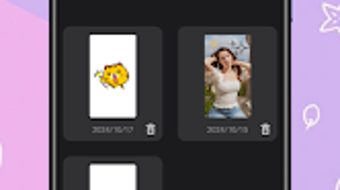
Sketch Pencil Art is a mobile drawing application tailored for Android users seeking a convenient platform for creative expression. Designed as a digital sketching tool, it empowers users to transform their smartphones into portable canvases for drawing, doodling, and painting. The app supports both blank canvas creation and image import from the device’s gallery, allowing users to edit or enhance existing visuals.
This dual functionality makes it suitable for a range of artistic tasks, from quick concept sketches to detailed digital artwork. Target users include hobbyists, aspiring artists, and anyone interested in exploring digital illustration without the need for specialized hardware. The application is available at no cost, making it accessible to a broad audience.
While the developer is listed as Sketch Pencil Art, no additional background information about the team or company is provided. Real-world usage scenarios include on-the-go sketching, concept visualization, and personal artistic exploration. The app’s focus on simplicity and accessibility positions it as a practical choice for casual creators seeking a lightweight yet functional tool.
Key Features & Capabilities
- Blank Canvas Creation – Start with a clean, white canvas to sketch freely, ideal for brainstorming or original artwork.
- Image Import from Gallery – Import photos or drawings from the device’s storage to edit, trace, or enhance digitally.
- Color Brush Selection – Choose from a variety of brushes with adjustable colors and thickness levels to match artistic intent.
- Undo Functionality – Correct mistakes easily with a built-in undo feature, improving workflow accuracy.
- Eraser Tool – Remove unwanted lines or areas with precision, enabling refinement and detailing.
These features support a seamless creative process. For example, a user might import a photograph to trace a sketch, then use different brush thicknesses to emphasize certain lines. The undo and eraser tools allow for iterative improvements without fear of irreversible errors.
The app’s design emphasizes intuitive interaction, making it suitable for users with varying levels of artistic experience. While specific brush types or effects are not detailed, the core functionality focuses on fundamental drawing tasks. The absence of advanced features like layers or export presets suggests a streamlined experience, ideal for users prioritizing ease of use over professional-grade tools.
Overall, the capabilities are well-aligned with the needs of casual creators who value portability and simplicity in their digital art workflow.
User Interface, Workflow & Performance
The user interface of Sketch Pencil Art appears designed for simplicity and direct access to core tools. Navigation is likely structured around a central canvas area with tool icons positioned for easy reach, minimizing the need for complex menu diving. The workflow emphasizes immediate drawing, with minimal setup required to begin.
Users can start sketching or importing images with just a few taps, reflecting a user-centric approach. The app’s performance is expected to be responsive within the constraints of typical Android devices, though exact resource usage details were not specified. Stability and CPU/RAM behavior are not documented, but general software behavior patterns suggest smooth operation on devices meeting basic Android requirements.
The developer did not provide additional information on performance optimization, so users should expect standard responsiveness based on device capabilities. No reports of crashes or lag were mentioned, but real-world testing is limited. The interface appears to prioritize functionality over visual embellishment, which may contribute to consistent performance across a range of hardware.
Overall, the workflow supports a natural drawing experience, suitable for short sessions or extended creative projects.
Compatibility & System Requirements
Sketch Pencil Art is designed for the Android operating system, with version 2.0 currently available. The installation size is 18.2 MB, indicating a lightweight application that does not require significant storage space. The developer did not specify exact system requirements, such as minimum Android version, RAM, or processor specifications.
Compatibility information is limited to the platform, suggesting it may support a broad range of Android devices. However, without clear details on hardware or OS version compatibility, users should verify functionality on their specific device. The app is distributed via the Google Play Store, which ensures standard installation procedures and access to updates.
No information was provided about offline functionality or cloud integration. While the app is free to download, users should ensure their device meets general Android app requirements to avoid installation issues. The lack of detailed technical specifications means that compatibility cannot be confirmed beyond the stated OS and version.
Pros and Cons
Pros
- Free to download and use, making it accessible to a wide audience.
- Lightweight installation size of 18.2 MB, suitable for devices with limited storage.
- Supports both blank canvas creation and image import from the gallery.
- Includes essential tools like undo and eraser for error correction and refinement.
- Designed for on-the-go creativity, ideal for mobile sketching and digital art.
Cons
- No information provided on advanced features such as layers, export formats, or brush customization.
- Exact system requirements and compatibility details were not listed.
- Limited details on performance under heavy use or on lower-end devices.
- Developer background and support channels are not disclosed.
- No indication of update frequency or long-term maintenance plans.
FAQ Section
Is Sketch Pencil Art available for iOS devices?
Based on the provided information, the app is currently designed for Android only. No details were given about iOS compatibility.
Can I use Sketch Pencil Art offline?
The app does not specify whether offline functionality is supported. However, since it operates on local device storage and does not require a constant internet connection for core features, it is likely usable without an internet connection.
Does the app include a save function?
While not explicitly stated, the ability to import images and create sketches implies that the app supports saving work locally on the device. Specific export options or file formats were not provided.
Is Sketch Pencil Art safe to download?
As the app is available on the Google Play Store and is listed as free with no additional risks mentioned, it is considered safe for download. Users should always install apps from trusted sources.
How often are updates released?
Information about update frequency was not provided. Users should check the Google Play Store for the latest version and release notes.
Final Thoughts + CTA
Sketch Pencil Art offers a straightforward and accessible solution for mobile digital sketching, particularly for Android users seeking a free, lightweight drawing tool. Its core features—blank canvas creation, image import, brush selection, undo, and eraser—support a functional and intuitive workflow for casual creators. While advanced capabilities are not detailed, the app excels in simplicity and portability.
It is best suited for hobbyists, students, and individuals who value creative freedom without the complexity of professional-grade software. The lack of detailed system requirements and developer information may raise questions for some users, but the app’s lightweight nature and free availability mitigate many concerns. For those looking to explore digital art on their smartphone, Sketch Pencil Art provides a solid foundation.
Download Sketch Pencil Art now and start sketching your ideas anywhere, anytime.





.png)

